
Quick picks: the best Nucleus Co-op games by play style
Start with the session your group wants. The best pick depends on play style, not an unverified player-count ranking; each links to a guide for checking its edition, handler, inputs, connection, and saves.
| Your group's mood | Start with | Why it fits this shortlist |
|---|---|---|
| Explore, gather, build | Core Keeper or Minecraft Java | Choose the world and building style you prefer. |
| Replayable action runs | Risk of Rain 2 or Vampire Survivors | Both suit short sessions with repeatable runs. |
| Mission or Zombies sessions | Call of Duty: Black Ops 3 | Check the PC build, handler, and inputs first. |
| Character-focused action | Devil May Cry 5 | The guide makes its community-trainer and handler dependency explicit. |
| Open-world survival | Palworld | Check handler and connection notes before choosing a world. |
How we chose these Nucleus Co-op games
This editorial shortlist includes seven games with dedicated setup guides here. Each offers a distinct play style and concrete handler checks. Here, best means a strong fit for a group's session, not a score, popularity ranking, or compatibility guarantee.
A session depends on the installed edition and build, current handler, required launcher or community component, separate inputs, and the game's connection method. Read the linked guide and verify the official Handler Hub before changing files.
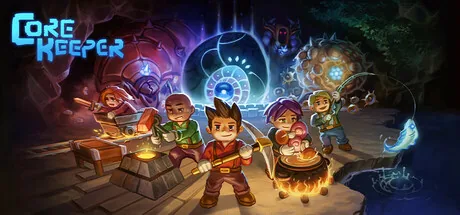
Core Keeper: best for shared exploration and base building with Nucleus Co-op
Among shared-world games, Core Keeper suits groups that want to explore, gather, and improve an underground base. Its guide covers build and handler checks, separate inputs, instance launch, multiplayer, and saves before a longer session.
Check the current handler, test the expected host/join step, and back up the world before trying a different build.
Minecraft Java: best for a persistent sandbox with Nucleus Co-op
For persistent sandbox games, Minecraft Java suits groups that want to build and explore over multiple sessions. Confirm the Java edition, game path, handler notes, input assignment, and connection step for your setup.
Read the guide before moving saves or choosing a game folder. Run a brief test and confirm which world or server each instance joins; do not assume a normal solo launch uses the same connection flow.
Risk of Rain 2: best for replayable action runs with Nucleus Co-op
Run-based action games suit groups that want a clear stop point. Risk of Rain 2 is the shortlist pick; its guide covers the handler, multiple instances, separate inputs, and the game's joining step. Two open windows do not prove they share a session.
Use the default layout for a short test. Check each controller and connection, and note any message before changing graphics or network settings.
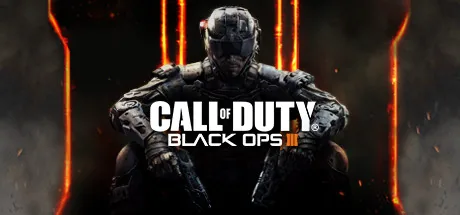
Black Ops 3: best for mission and Zombies sessions with Nucleus Co-op
Shooter games like Black Ops 3 suit groups looking for a focused mission or Zombies session. Its guide covers the PC edition, handler, separate inputs, and a short mode test; instructions for another Call of Duty title may not apply.
Compare the game build and handler with your installation before a longer session. Test the intended mode and keep account or online questions separate from local instance setup.
Vampire Survivors: best for compact, replayable sessions with Nucleus Co-op
Arcade games such as Vampire Survivors suit compact, repeatable runs. Its guide calls out the handler, controller separation, connection limits, saves, and troubleshooting that a game title alone cannot answer.
Check its current notes and test a short run; do not infer player limits from another game's setup or from an image.
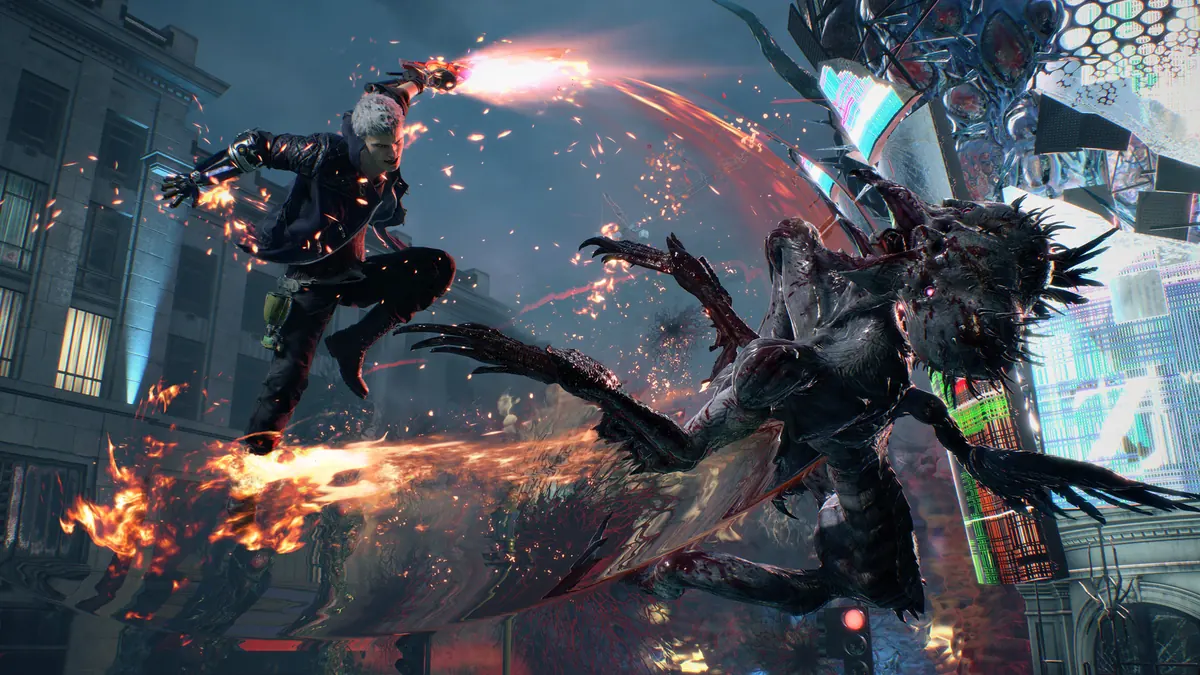
Devil May Cry 5: best for character action with Nucleus Co-op
Character-action games like Devil May Cry 5 appeal to groups who want focused combat rather than a shared world. Its PC split-screen workflow depends on a compatible community trainer and handler, not a native local menu; the game guide recommends a controlled test.
Verify the trainer source, handler, and game build first. Keep inputs simple and stop if a required component does not match the guide.
Palworld: best for an open-world survival session with Nucleus Co-op
Open-world survival games make Palworld a fit for groups who want crafting and a continuing world. Check the handler and connection expectations for your installed version, agree on the world or save, and back it up before changing setup components.
Start with a short launch and connection test. Read the guide for its current caveats before investing in a longer session.
Choose by play style, then check setup effort
For the best fit, compare session type, desired length, and willingness to follow game-specific setup. Then check the exact edition, handler, required component, input path, connection step, and save behavior in its guide.
If two picks appeal equally, start with the one whose notes match your installed build. If neither matches, verify the current Handler Hub instead of assuming a nearby version is equivalent.
| Question | What to compare before choosing |
|---|---|
| A short run or a continuing world? | Compare run-based picks with sandbox and survival guides. |
| Does anyone already own and launch the game normally? | Start with a legitimate installation that works outside Nucleus Co-op. |
| A trainer, mod, launcher, or special build? | Treat it as a required setup step. |
| How do saves and instances behave? | Back up the profile or world before testing. |
| Can players use separate input devices? | Check assignment before changing drivers. |
Run a short first test before planning a long session
A best first test is small and repeatable, so you can separate a game-specific issue from an input, handler, or connection problem.
Verify the game
Launch your legitimate game copy normally and confirm the edition and installed build.
Read the live handler notes
Check the current handler, required launcher or community component, player guidance, and known limits.
Start with simple inputs
Assign only the devices you need, keep the default window layout, and test each instance separately.
Confirm connection and saves
Join the intended session, make a short checkpoint if appropriate, and close the instances cleanly.
Compatibility limits to keep in view
Nucleus Co-op coordinates supported game instances; it does not add multiplayer to every PC game. The game and handler determine launch, input, connection, and save behavior. Re-check notes when the build changes.
Use a legitimate game copy and verify setup with the official handler source. Online, LAN, local, and handler-emulated connections are different; the artwork here is not compatibility evidence.
Practical notes for a stable setup
Best Nucleus Co-op games FAQ
What are the best Nucleus Co-op games to start with?
The best starting game matches your group's play style and current handler notes. Each pick links to a game-specific guide.
Is this a ranking of every supported game?
No. It is a seven-game shortlist by play style. Use the directory or Handler Hub to check other titles.
Does Nucleus Co-op add split-screen to every PC game?
No. A usable handler and a game-specific connection method are still required.
How many players can use each game in this list?
This shortlist does not set player limits. Check the current handler and guide for the exact title and build.
Should I use the games list or this article?
Use this article to choose by play style; use the directory to look up a known title.
Why can a game stop working after an update?
Updates can change builds, launchers, saves, input, or connections. Re-check the handler and run a short test.
Need to verify a specific game?
Find the game guide and compare its handler notes with your installed edition to choose the best next step.
Browse the games list