
The short answer
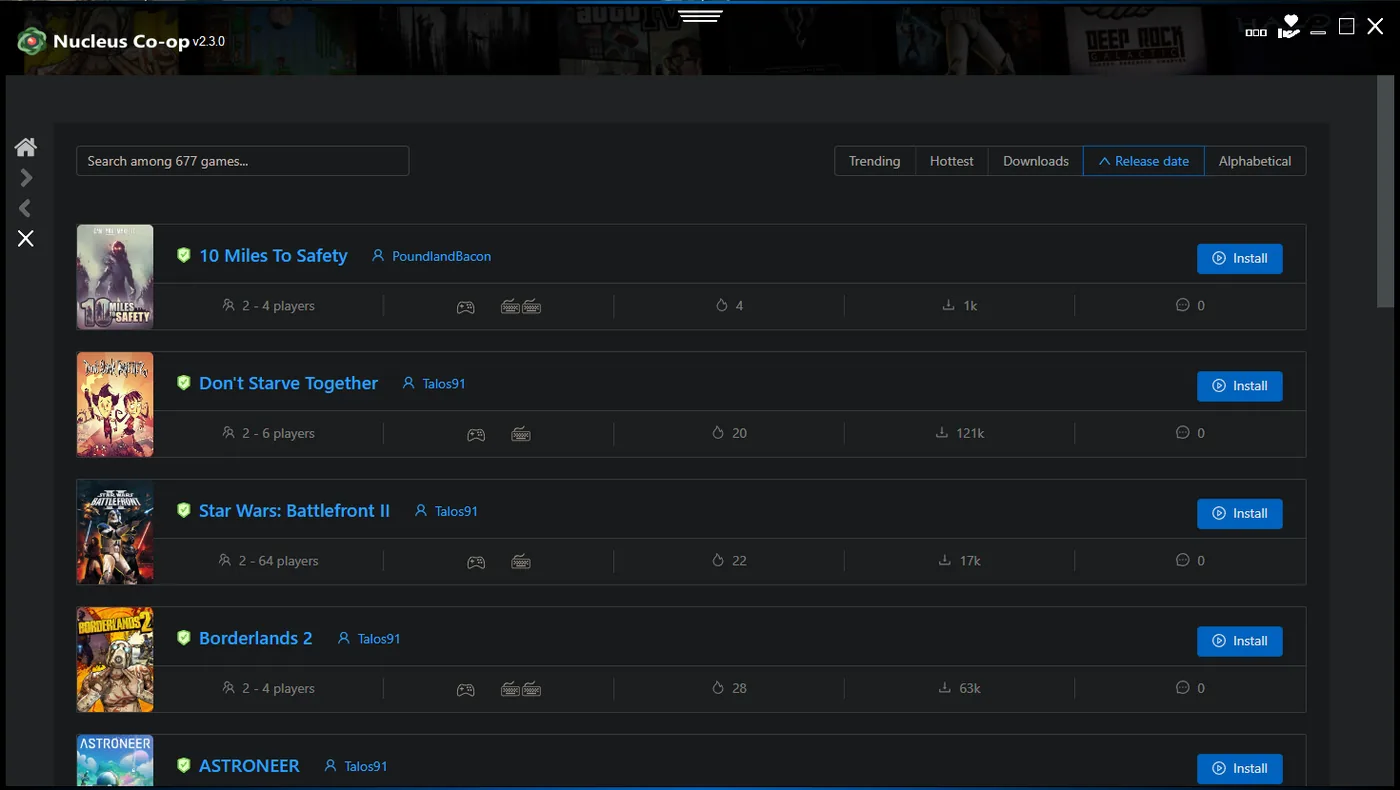
Nucleus Co-op helps turn a supported Windows game into a local multi-instance session. You choose a game handler, point the handler at your game installation, assign input devices, and ask Nucleus Co-op to launch the instances. The application then helps manage the windows and the input routes that each player uses.
That description is intentionally narrower than saying that Nucleus Co-op adds co-op to any game. The game must tolerate multiple instances, and the instances must have some way to communicate: a built-in LAN mode, an online mode, a supported mod, or another game-specific connection path. If the game has no workable connection behavior, a launcher cannot create it by itself.
| Layer | Responsibility |
|---|---|
| Nucleus Co-op | Launches and coordinates supported game instances, windows, and local inputs. |
| Handler | Provides game-specific paths, launch arguments, dependencies, and workarounds. |
| The game | Runs the actual gameplay, save system, networking, and multiplayer rules. |
| Mods or launcher | May provide the connection method or extra compatibility required by a title. |
| Your Windows setup | Provides permissions, drivers, controllers, graphics, storage, and network behavior. |
What a Nucleus Co-op handler does
A handler is a package of instructions for one game or one game family. It can describe where the executable lives, which files or folders need to be isolated, how many instances can be started, how windows should be arranged, and which input or connection steps a player must complete. That is why a handler is closer to a recipe than to a universal plug-in.
Handlers also explain why compatibility can change after a game update. A new executable name, launcher change, anti-cheat change, save-path change, or network change can make an older handler unreliable. When you troubleshoot, record the handler version and the game build rather than only writing “Nucleus Co-op is broken.”
Select a title
Start from the exact game name and edition, not a similar abbreviation.
Read the handler notes
Check required mods, launchers, versions, player limits, and known issues.
Point to the game
Give the handler the path to the legitimate game installation it expects.
Start the instances
Let the handler create the launch sequence and window arrangement.
Connect in the game
Use the title's own LAN, online, or mod connection step when the handler requires it.
How input separation works
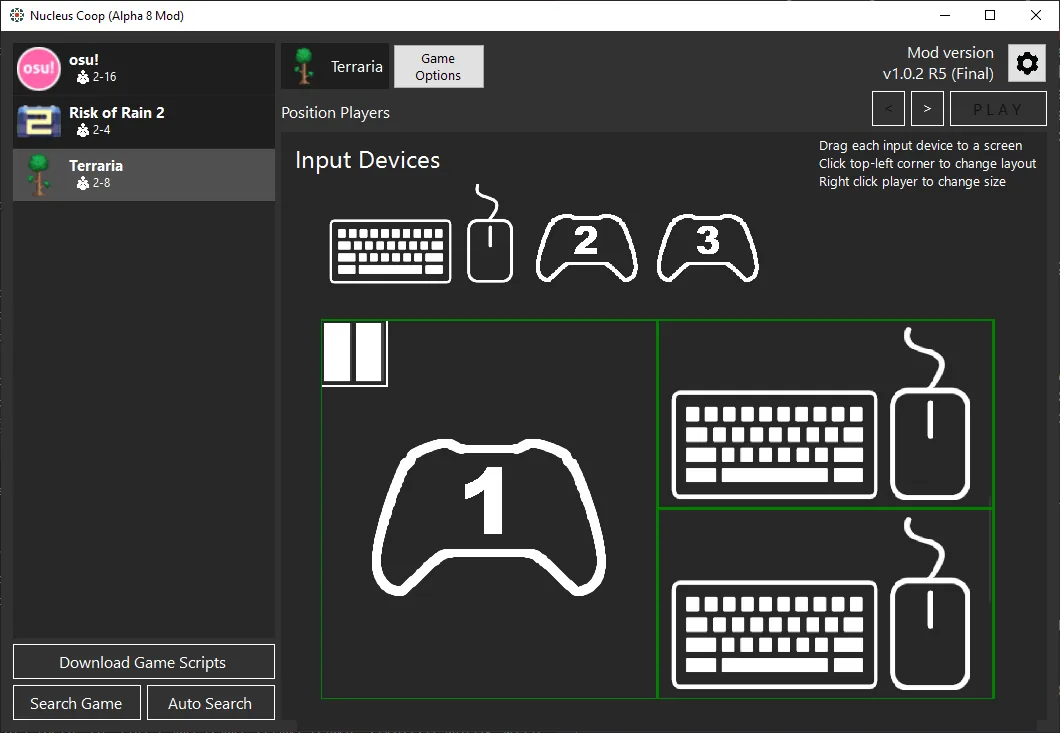
Multiple windows are not enough for a good local co-op session. Each player needs an input route that the correct game instance can understand. Depending on the title, that may involve XInput controllers, DirectInput devices, keyboard and mouse focus, or a controller translation layer. Nucleus Co-op and its handler can help isolate or assign those inputs, but the result is still affected by Windows drivers and the game's input API.
The safest test is one device at a time. Move player one, confirm that only the first instance responds, then move player two. If one controller controls both instances, pause the session and use the controller troubleshooting page. Changing resolution, graphics, or save settings will not repair an input route.
- XInput and DirectInput are not interchangeable in every game.
- A PS4, PS5, or Joy-Con setup may need a translation layer that changes how Windows exposes the device.
- Keyboard focus can move between windows even when controller assignment is correct.
- Virtual controllers can help one game and confuse another; record the tool and driver version.
- Always verify inputs before beginning a long session or changing the game files.
What Nucleus Co-op cannot do
Nucleus Co-op cannot promise compatibility for every PC game. It cannot turn a game with no workable multiplayer, LAN, online, or mod connection into a complete co-op experience. It also cannot guarantee that a handler written for one build will work after a major game update.
It is equally important not to confuse the application with a game copy or a bypass tool. You need a legitimate game installation, and you remain responsible for the game's own terms, launcher requirements, network service, and mods. This site will not direct users to cracked releases, ownership bypasses, or random modified executables.
A reliable model for troubleshooting
Think of a working session as five pieces that must agree: the application, the handler, the game build, the input devices, and the connection method. If the application opens but the game does not, start with the handler or game path. If two windows open but one controller moves both, start with input isolation. If both players can move but cannot meet in the game, start with the title's LAN, online, or mod connection step.
This model also explains why a solution copied from another game may not work. “Run as administrator,” “move it out of OneDrive,” “install a controller driver,” and “use a different handler” are not interchangeable fixes. Match the fix to the layer that failed, make one change, and repeat the same test.
| Observed result | Start your investigation here |
|---|---|
| Nucleus Co-op does not open | Dependencies, permissions, antivirus, or installation path. |
| Handler does not find the game | Game path, game edition, executable name, or handler notes. |
| Two windows open but inputs are shared | Controller API, input assignment, focus, or virtual controller layer. |
| Inputs work but players cannot connect | Game LAN/online mode, mod setup, firewall, or version mismatch. |
| Only one game crashes | Game-specific handler, update, mod, save path, or graphics setting. |
Practical notes for a stable setup
How Nucleus Co-op works FAQ
Does Nucleus Co-op create online multiplayer?
No. It coordinates supported local instances; the game and handler determine whether LAN, online mode, or a mod can connect them.
Why does every supported game need a handler?
Games use different executables, launch arguments, save paths, input APIs, and connection rules, so the handler carries title-specific instructions.
Can Nucleus Co-op work with any PC game?
No. The game must support the required multi-instance behavior and connection method, and a suitable handler must exist.
Why are my controls mixed between instances?
Check input assignment, controller APIs, focus and virtual-device layers one at a time. Use the controller guide before changing graphics settings.
Does Nucleus Co-op need Wi-Fi?
Network needs differ by game and handler. Some local workflows work offline, while downloads, LAN discovery or online services may need a connection.
Find the layer that failed
Use the troubleshooting hub when you know what happened but not whether the application, handler, game, input or connection layer needs attention.
Open troubleshooting